
Scan your cards and track their value
One photo is all it takes: Card Univers identifies the card, adds it to your collection and shows you today's price and how it has changed over time.
See how it works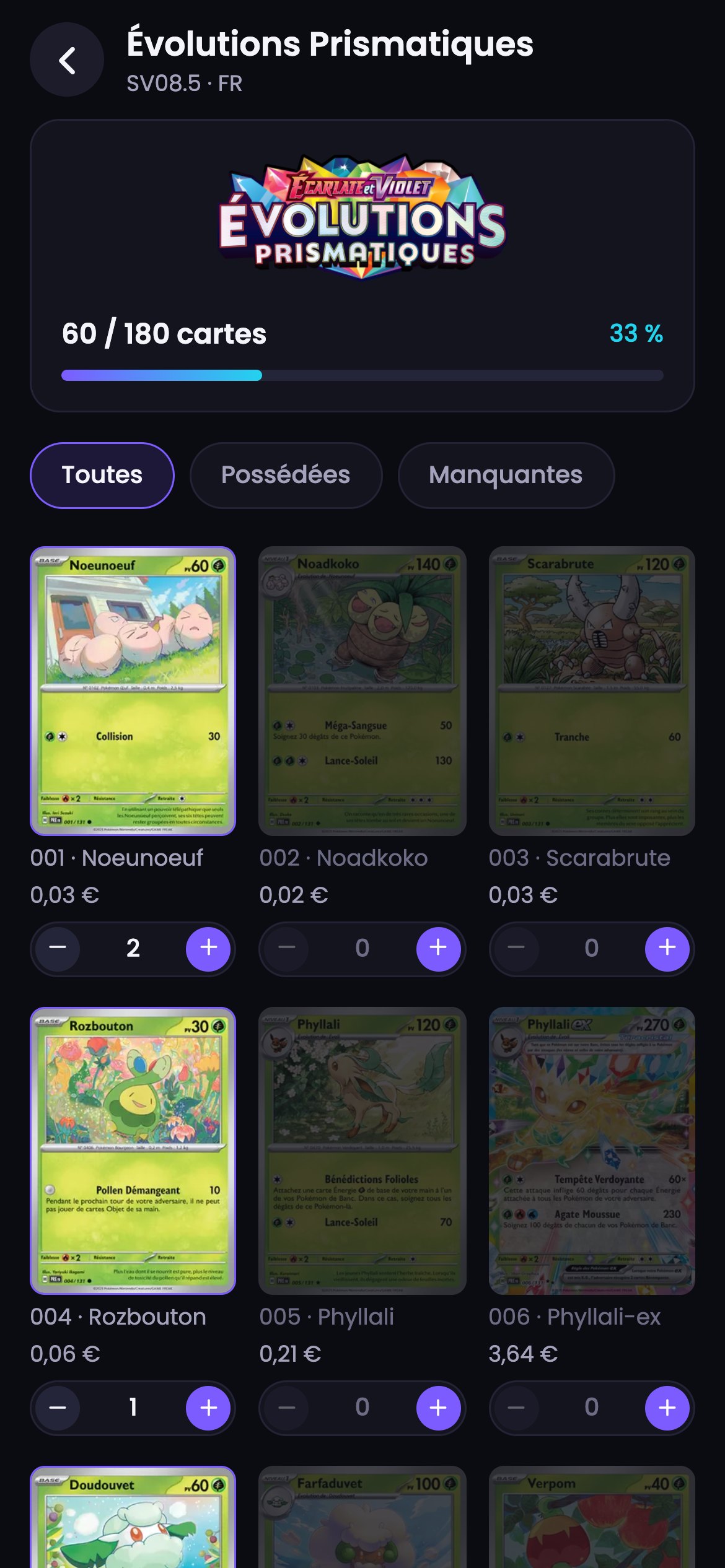
Supported trading card games
Available for Pokémon and One Piece, with more games coming soon.











How it works
How does it work?
Scan a card, add it to your collection and find out what it’s worth in seconds.
Step 1
Open the scanner
In the Card Univers app, tap the big Scan button. Choose Card mode for a single card, or Binder Page to scan a whole page at once.
Step 2
Take a photo of your card
Lay the card flat inside the frame and take the picture. You can also pick a photo you’ve already taken from your photo library.
Step 3
Add it to your collection
The card is identified in seconds, along with its match percentage. Check it, then tap “Add to my collection.” Not the right one? We’ll show you the next best match.
Step 4
Find out what it’s worth
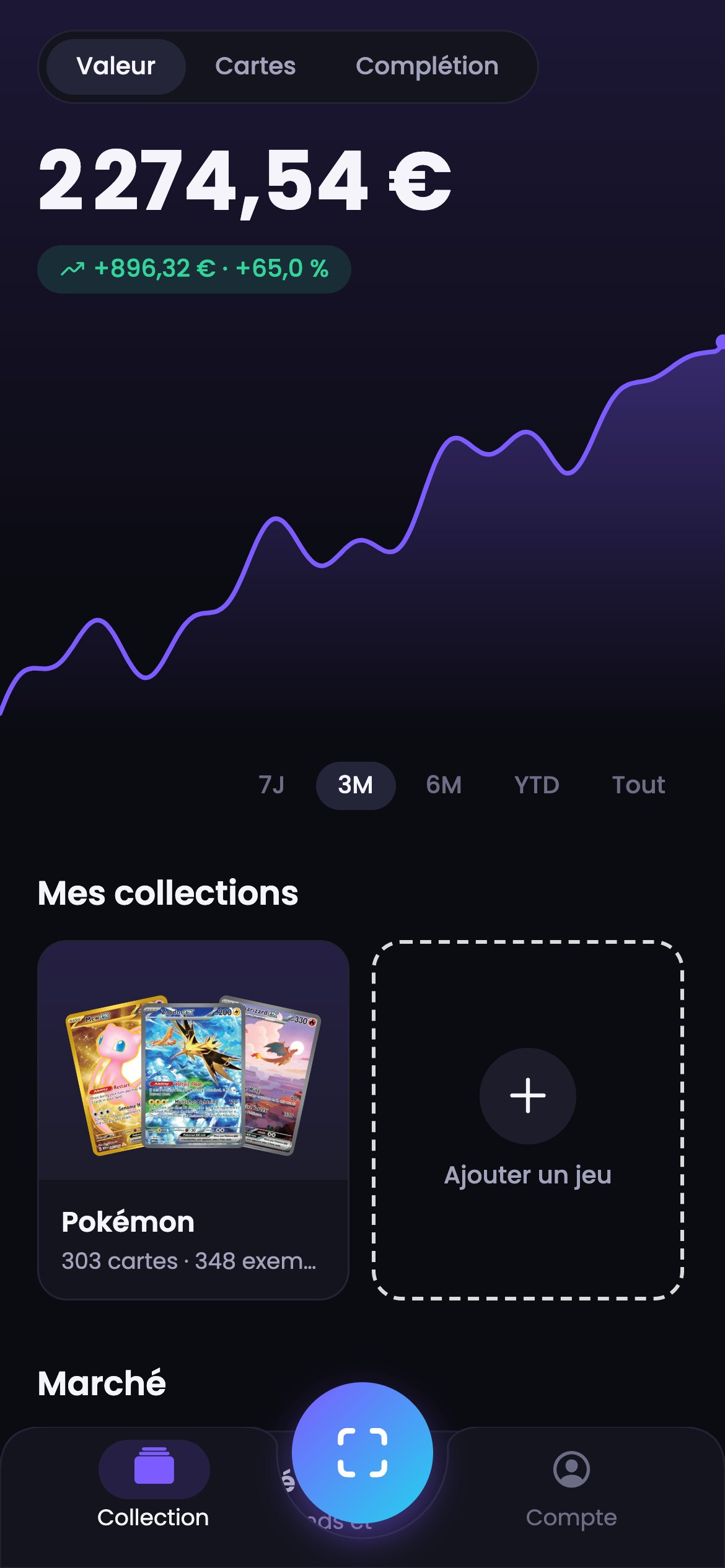
Its estimated value appears right away. Open the card to see today’s price and its price history, track the total value of your collection and get an update on how it has moved every Monday.
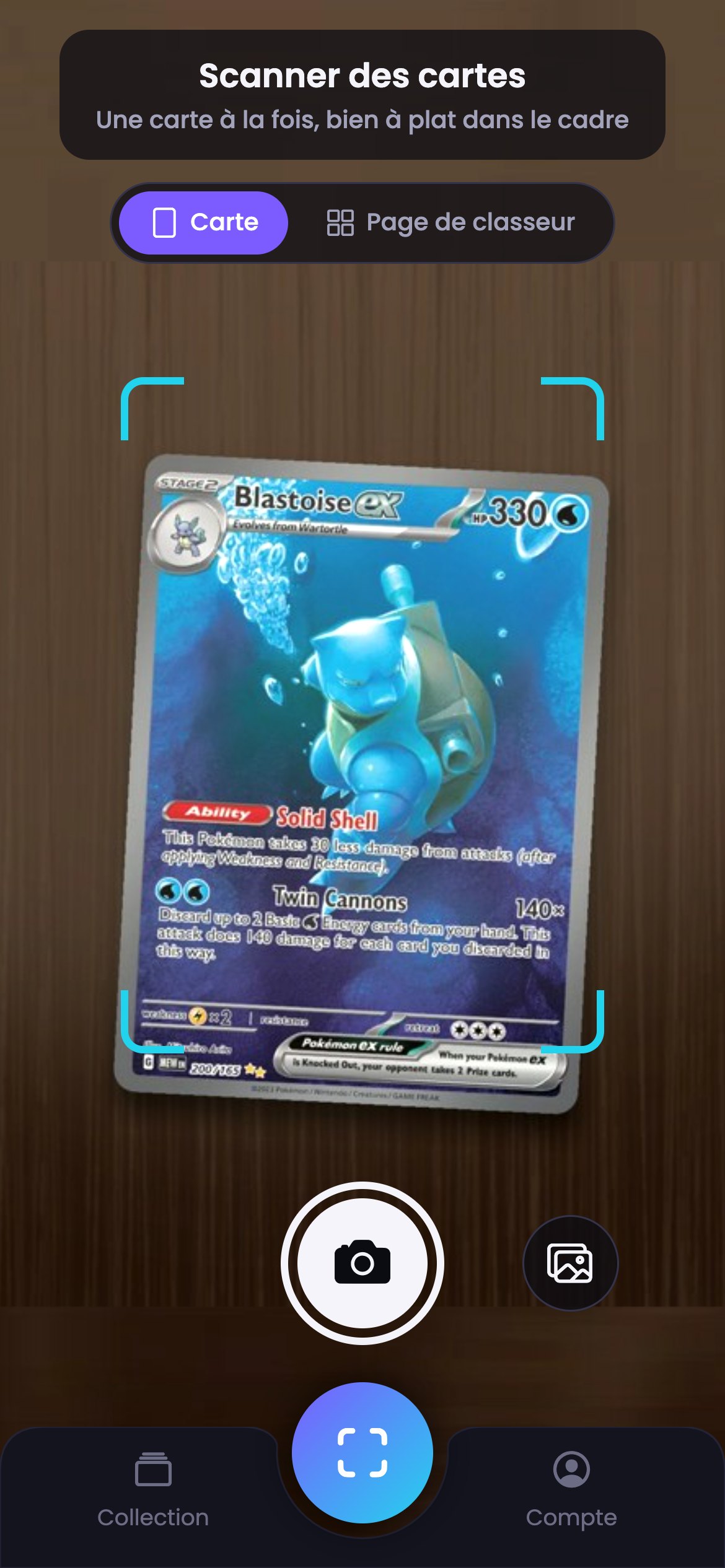
1. Scan
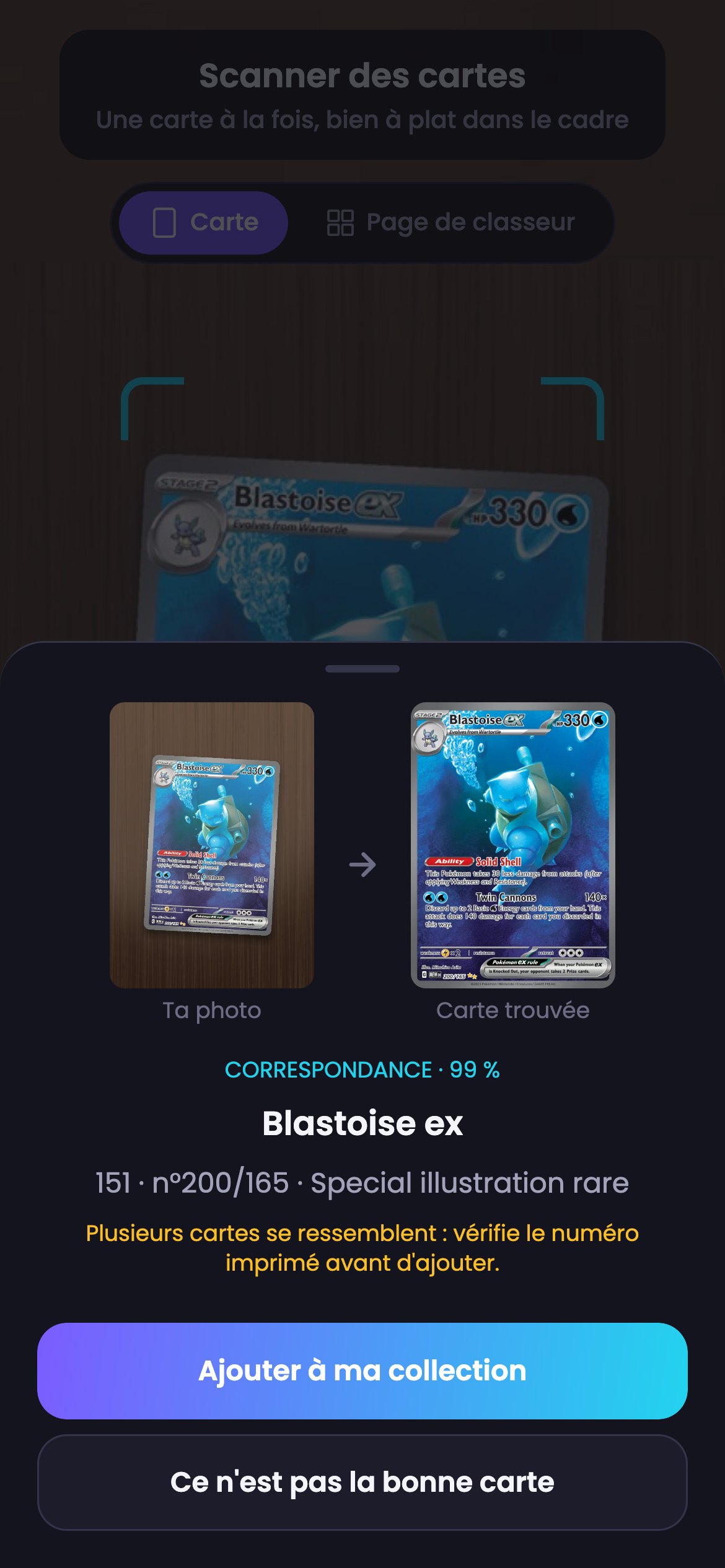
2. Add
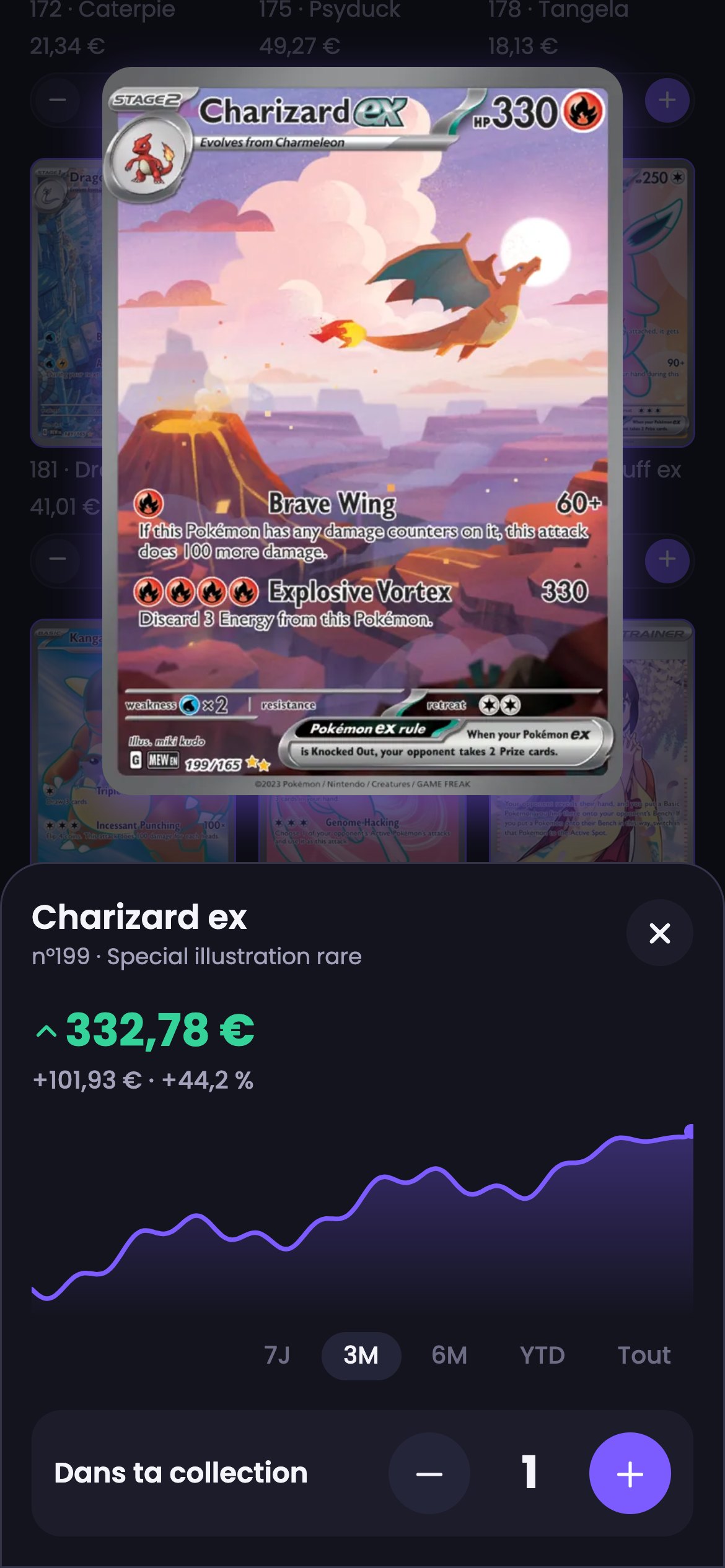
3. See its value
4. Track your collection
Benefits
What’s in it for you
Investing
Keep an eye on how the value of your cards, and of your whole collection, changes over time.
Trading
Trade cards easily with other collectors, with complete confidence.
Grading
Get your cards graded for less than anywhere else, with flawless quality.
Tap the Scan button, take a photo of the card lying flat (or pick a photo from your library), check the card we found, then tap “Add to my collection.” In Binder Page mode, a whole page is scanned at once.
The estimated value appears as soon as you add the card. Its page shows today’s price and its price history, and the Collection screen shows the total value of your cards. Prices are updated every day, in US dollars, Canadian dollars or euros.
Pokémon and One Piece, with their sets in several languages (including Japanese). More games will follow.
Your cards are sorted by game, then by set. For each set, you can see the cards you own, the ones you’re missing and your progress. Copies and variants of the same card are tracked separately, and your sets can be in English, French, Japanese, Chinese or Korean.
Every different card earns you trophies based on its rarity, from 1 for a common to 50 for a secret rare, and a complete set earns a 1,000-trophy bonus. Your trophies move you up the ranks, from Beginner to Legend.
Post the card you’re offering, find another collector and arrange the trade directly with them. You can also join a group in the Community tab.
List your card for sale in the app, set your price with the help of value tracking and alerts, then complete the sale with the buyer.
Card Univers brings everything together in one place: scanning, a card catalog, value tracking, selling, trading and a community of fans, for beginners and experts alike.
Head to the Contact page of the site and send us a message. We’ll get back to you as soon as we can.
For developers
API access
Look up card details, daily prices and price trends from your own tools, with a simple API.
Request access